
Behind successful brand identity, effective storytelling plays an important role. Timeline helps to display stories in a visually engaging way and lets your audience know about your company’s history.
Timeline blocks are mainly used to represent the history of the company on the “About Us” page of the website, so the companies can connect with their users closely. Apart from this, Timeline blocks are also used to show roadmap, personal stories, work experience, and historical events.
Selecting a perfect timeline plugin is a difficult task, but I have made it easy for you. Today in this article, I will show you the best plugin with detailed guide to create timeline stories.
What is Cool Timeline?
Cool Timeline is a powerful WordPress plugin that lets you create visually appealing and informative timelines. It offers both horizontal and vertical layout options.
With this plugin, You can simply create posts, set images, and assign dates. The plugin will automatically organize your posts in chronological order, whether you prefer ascending or descending.
You can use the Cool Timeline shortcode and can easily display a timeline on any page of your website. You need to purchase Cool Timeline Pro if you want to display your stories in a horizontal layout and along with it you also get multiple advanced options.
How to create timeline stories?
- Install and activate the “Cool Timeline” from the plugins section.
- After activation, you will see the “Timeline Addons” option on the WordPress dashboard. Click on that.
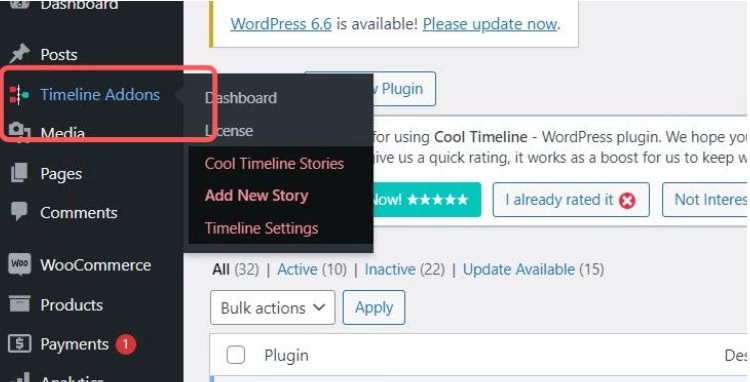
There are two ways to create an event timeline. Let’s first talk about the method that I find easy to use.
First Method
- Go to pages and open a new page.
- Click on the “+”, search Cool Timeline and select “Cool Timeline Block”.
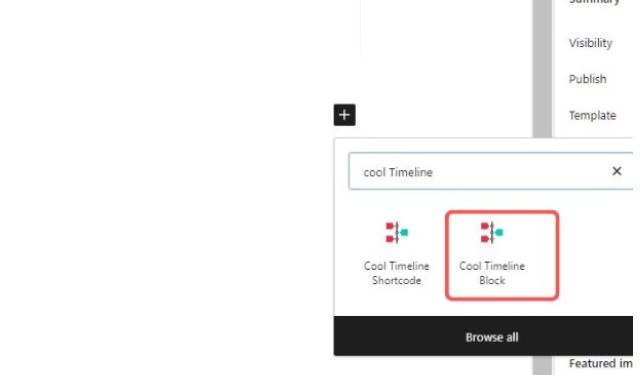
- It will display the Cool Timeline Block with default blocks.
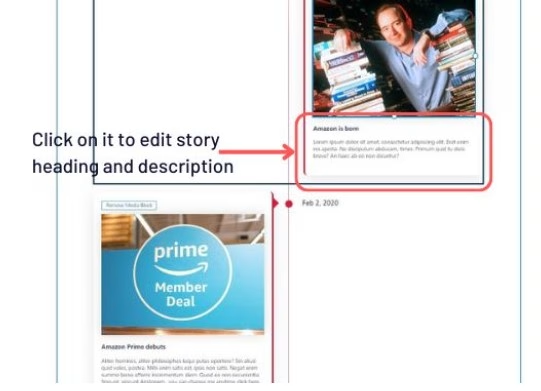
- Now you can simply add the story heading, description, image, and day or date by simply clicking on them.
- From general settings :
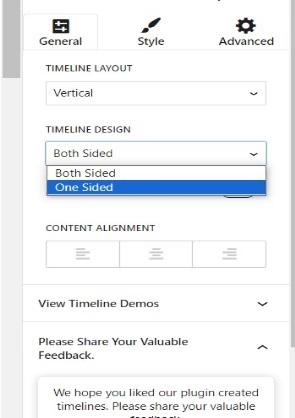
- Buy Pro and select a horizontal layout to create a horizontal timeline otherwise vertical layout will display.
- Select Timeline design and alignment of the content as per your choice.
- In the style section:
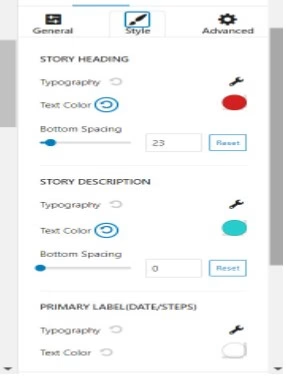
- Adjust the text color of the heading, description, and year labels along with their typography.
- In the advanced section:
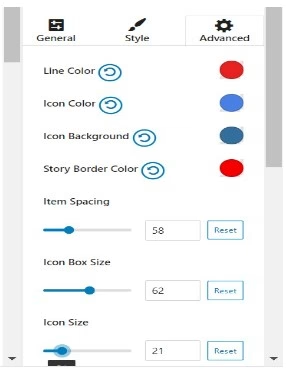
- Set the color of icons, lines, and border and spacing among blocks.
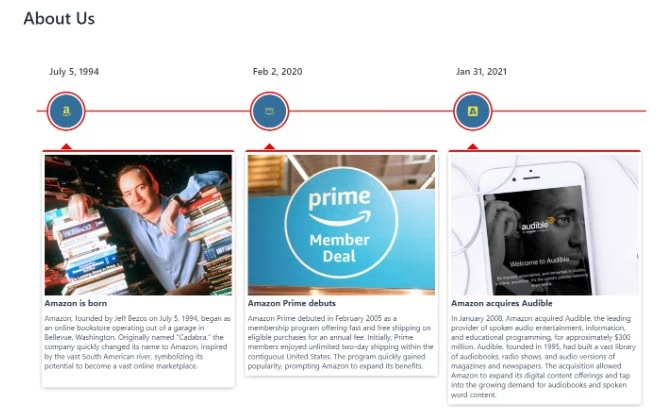
- After making all the changes click on publish and check the preview of the page.
Second Method
Now, let’s move to the second method to create an events timeline:
- Under the timeline addons option, click on add story.
- Classic Editor will open, then enter the details of events like the story title and description.
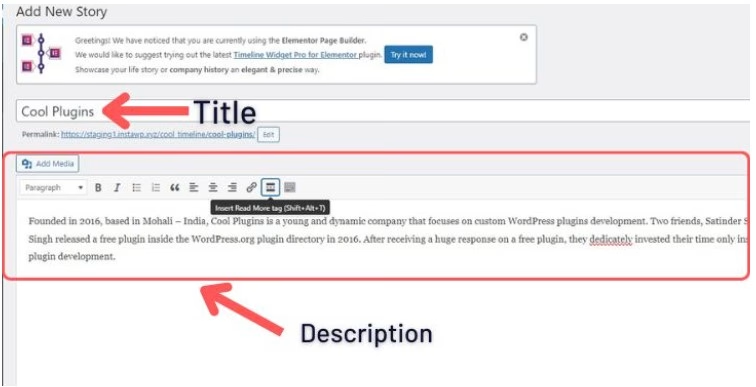
- Once you’re done adding events, Cool Timeline will show all of these event stories on the same timeline. You can then add the timeline to any page or post.
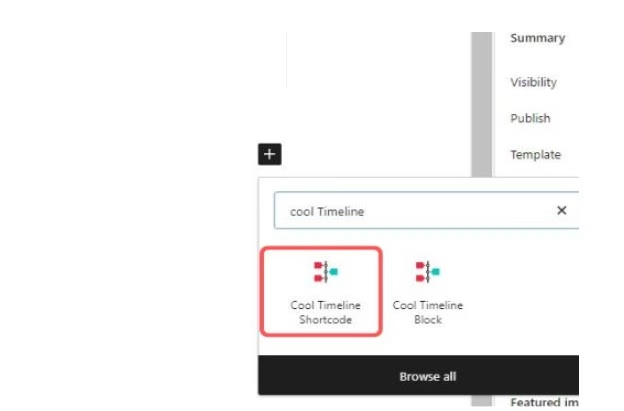
- Open the new page and search for Cool Timeline.
- Select Cool Timeline Shortcode.
- From General settings:
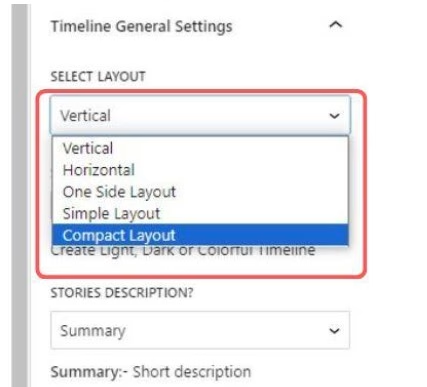
- Select layout: Select the timeline layout from multiple layout options.
- Displays per Page: Set how many stories will be displayed in the timeline. If the number of stories is more than the number you’ve selected pagination will be added to your timeline.
- In Advanced settings:

- Stories order: Select the order of events displayed in ascending or descending order.
- Date format: Controls how the date will be formatted.
- Icon: Select an icon if you want to set a particular icon for your story otherwise select dot.
- Pagination: Select how you want pagination to appear.
- Show or Hide the year label, year navigation, and read more button as per your choice.
- Animation: Select an animation effect from 15+ animation options.
- After that update the page and check the preview of the page.
Cool Timeline is an excellent plugin for creating engaging and visually appealing timelines in Gutenberg. With its user-friendly interface and powerful customization options, it’s a great choice for displaying your company’s history, roadmaps, personal stories, and more. Whether you prefer horizontal or vertical layouts, Cool Timeline has you covered.