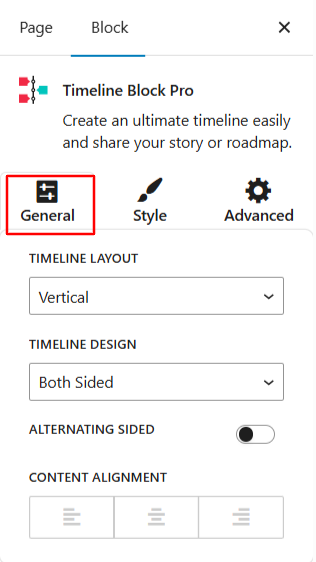
From General settings, you can customize the layout, design, and alignment of all timeline story blocks.
- Layout: Choose the timeline layout from vertical or horizontal.
- Timeline Design: If you have selected vertical layout timeline, then choose whether you want a one-sided or both-sided timeline layout. If you have selected a horizontal layout timeline, then choose design from default or simple for your timeline.
- Alternate Sided Layout (Vertical Layout): Toggle this option on and select whether you want to display timeline story on the left-side or the right-side.
- Content Alignment: Set how the text inside each story block should be aligned: Left, Center, or Right.