Using the Cool Timeline plugin, you can easily customize the look of your timeline stories created using a shortcode inside the Classic Editor. You can change colors, typography, backgrounds, and many visual elements to make your timeline perfectly match your website’s style.
You can access these settings from:
- From your WordPress dashboard, navigate to Timeline Addons > Timeline Settings.
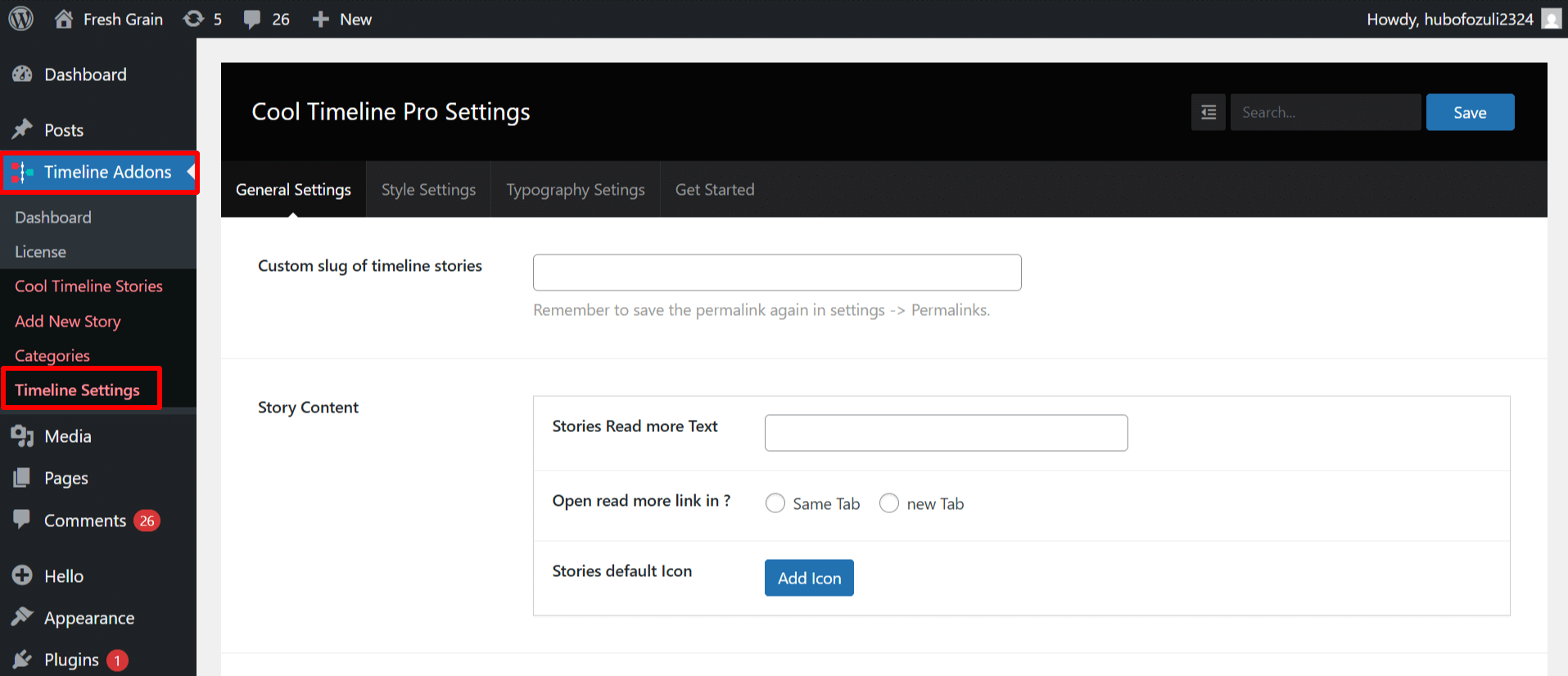
Here you’ll find different sections such as:
- General Settings: for overall layout and timeline display options.
- Typography Settings: to control fonts, text size, and spacing.
- Style Settings: to customize colors, backgrounds, and other design details.