Using Typography settings, you can change the font, size, and alignment of your story titles, dates, and content according to your requirements.
Follow the steps below:
- From your WordPress dashboard, navigate to Timeline Addons > Timeline Settings > Typography Settings.
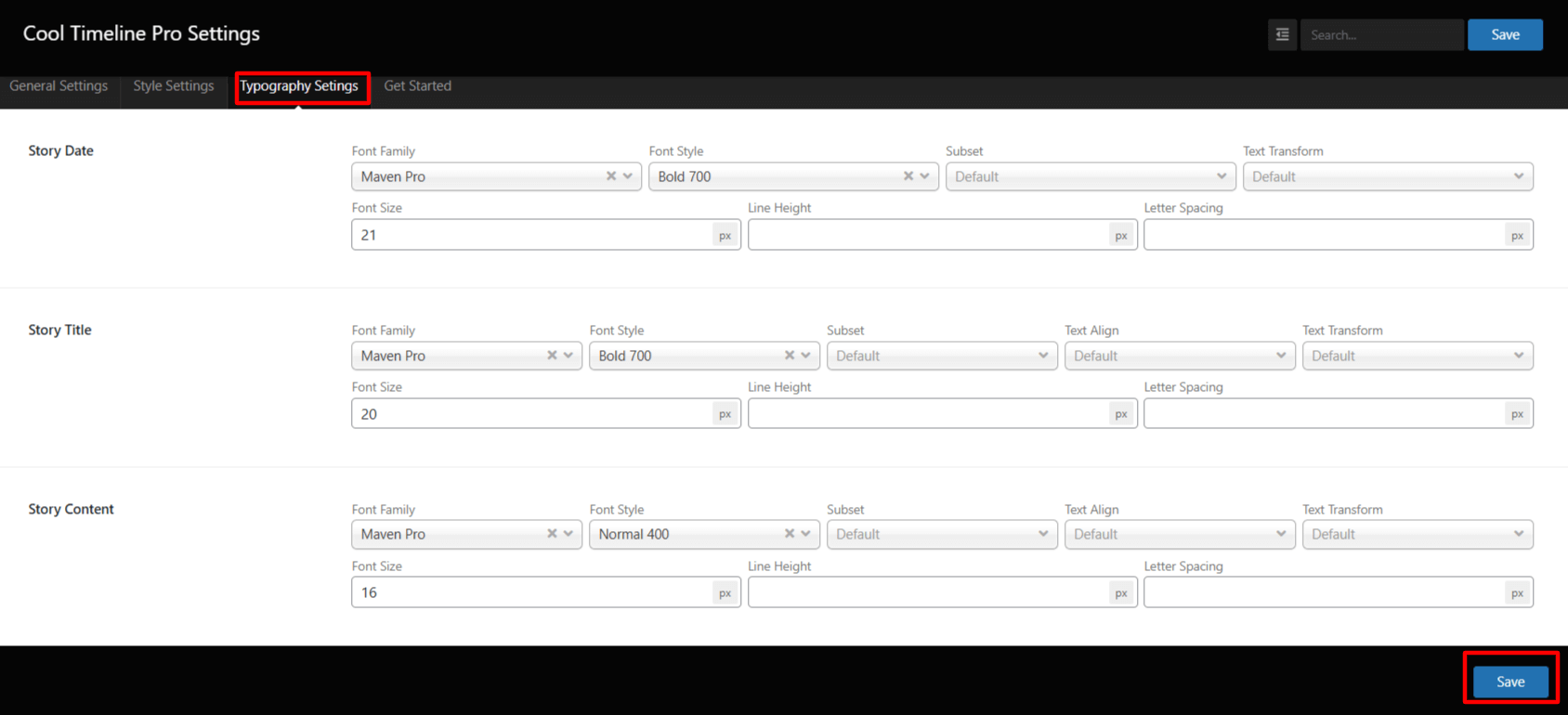
- Story Date: Change the font family, size, style, and text alignment of your story date.
- Story Title: Customize the story title’s font type, weight (bold/normal), letter spacing, and size.
- Story Content: Alter the content font, size, and line height, and more according to your preferences.
- Image Captions: Customize the image caption text’s font type, weight (bold/normal), letter spacing, and size.